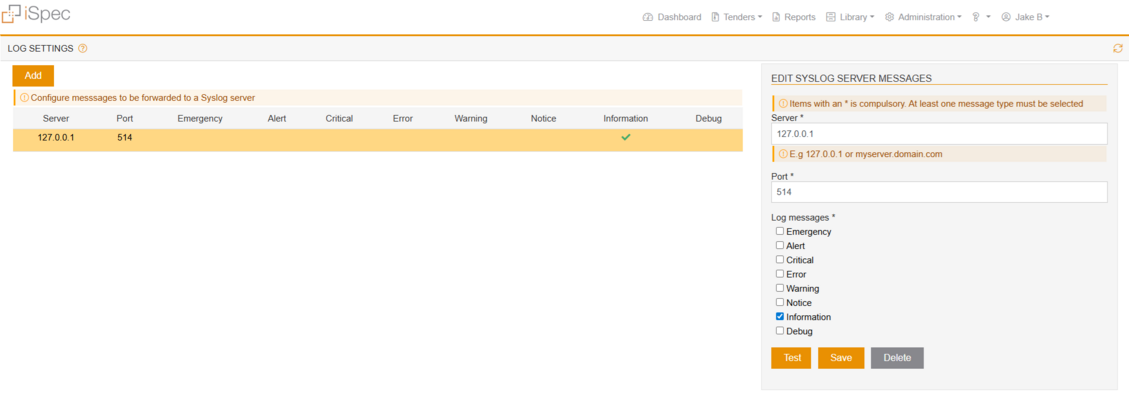
The System Log Manager provides administrators with a centralized solution for configuring, managing, and transmitting log data to a designated server. It offers flexible control over which types of log messages are sent, ensuring that only relevant logs are transmitted and stored for monitoring or troubleshooting purposes. Only users with the appropriate permissions are allowed to access this feature.
Log Selection:
The System log Manager allows administrators to choose the specific log that should be recorded. These are defined as follows:
-
Emergency: System is unusable (highest severity).
-
Alert: Immediate action required.
-
Critical: Critical conditions.
-
-
Warning: Potentially harmful situations.
-
Notice: Normal but significant conditions.
-
Information: Informational messages (non-urgent).
-
Debug: Detailed information used for debugging.
Currently, the following log are implemented:
Debug: Detailed logs for troubleshooting and debugging purposes.
Error: Error messages indicating issues or failures within the system.
Information: General informational logs about the system’s operations.